Package Standard
The Package brings your profile, resume, and school specific outreach into one clean export you can send to a coach or admissions office, or download as a PDF. It saves you from rebuilding the same introduction email for every school.
The communication package and resume PDF are on Standard and above. On the Free plan you can still see your profile data; the export and templates unlock with Standard.
What is in your package
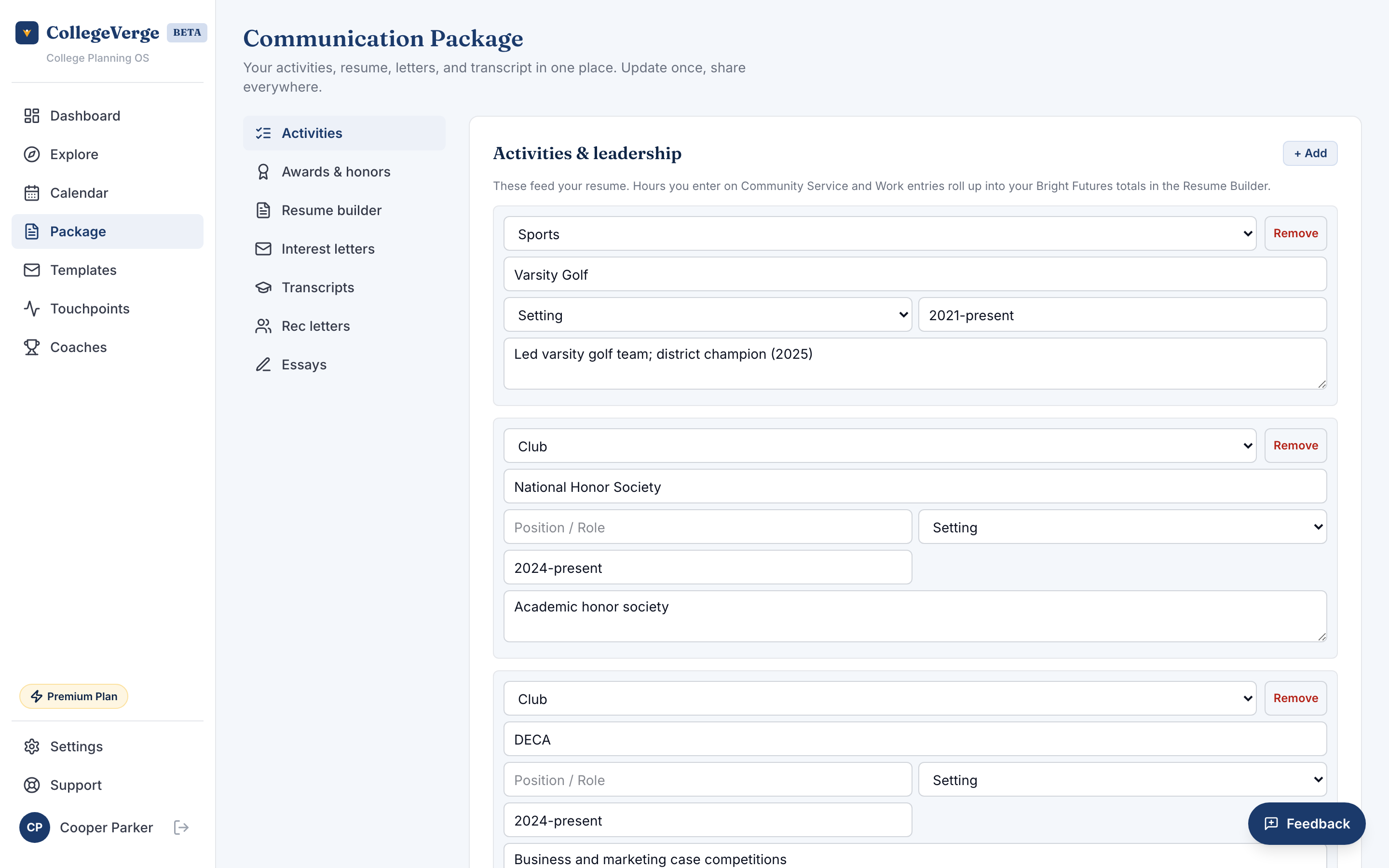
Package is one scrolling page rather than a set of tabs. Your Activities and Awards sit at the top as their own sections and feed the resume below them, and a sticky jump bar lets you move between sections without losing your place. From top to bottom you have:
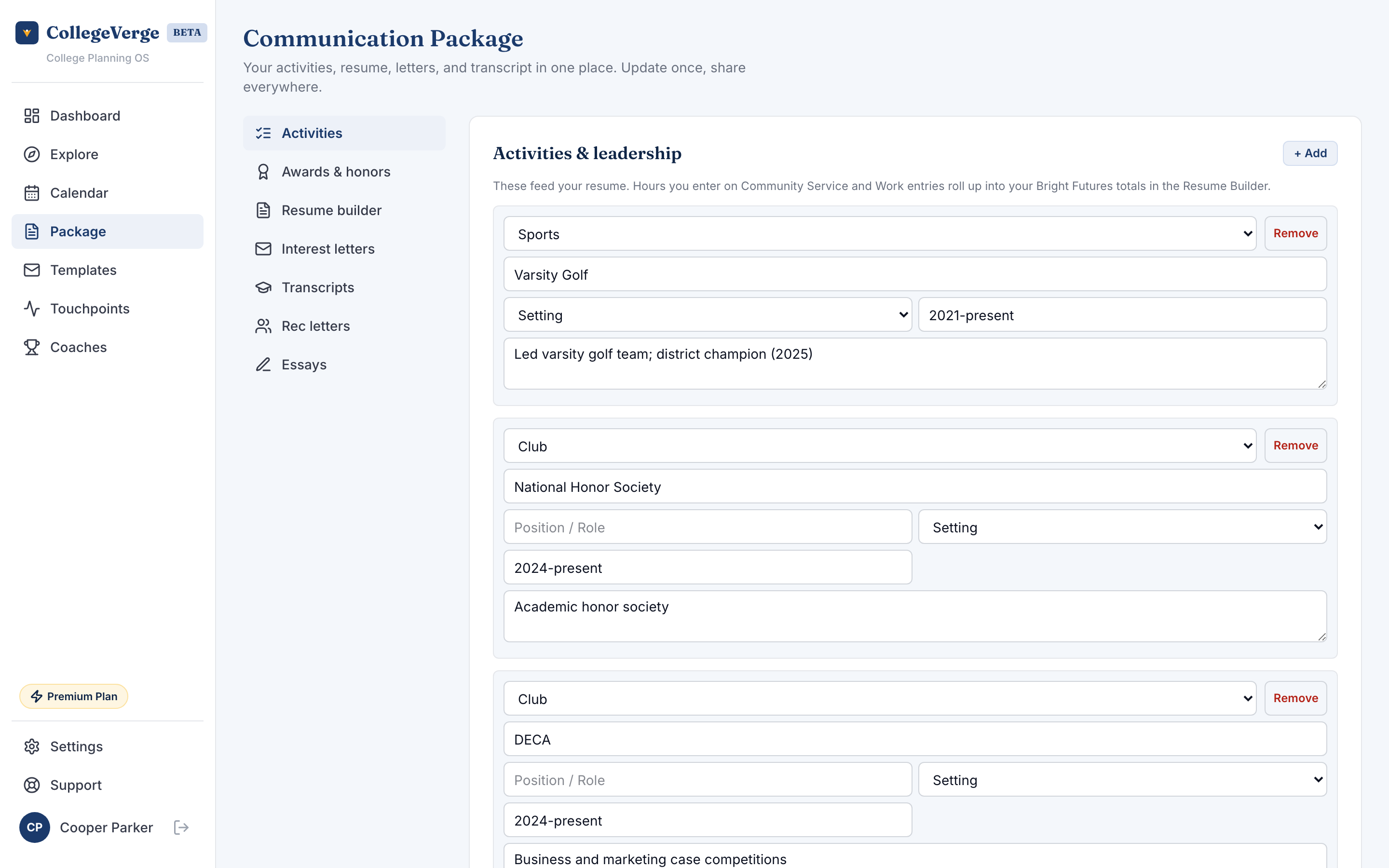
- Activities, listed with the detail that flows into your resume. Your volunteer and work hours roll up into your Bright Futures totals.
- Awards and honors, kept as their own section.
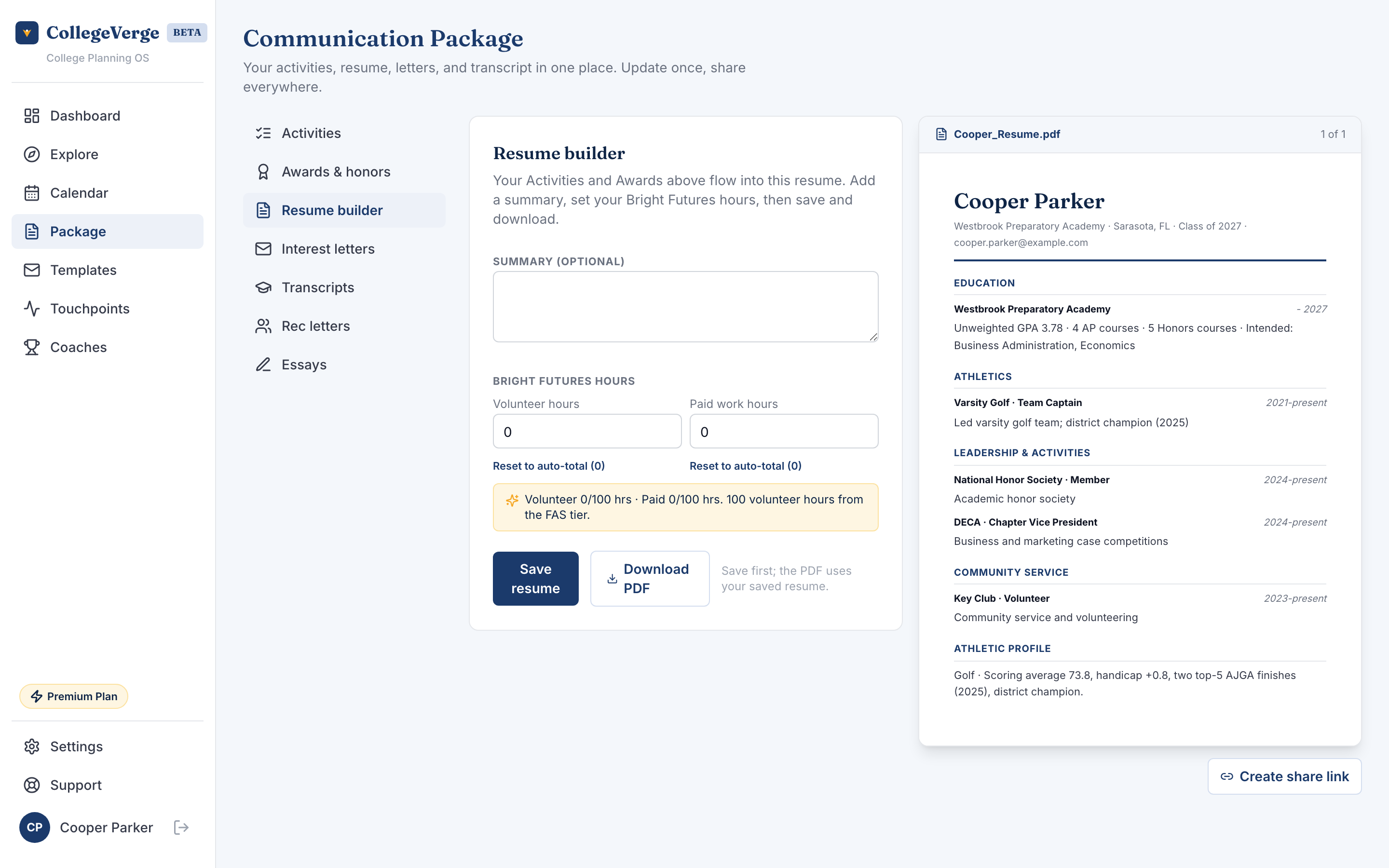
- Resume builder: a header with your name, graduation year, GPA, intended majors, and AP or IB counts, plus your summary, activities, awards, and skills.
- Interest letters tailored to each school, with your name, intended major, and stats already filled in.
- Transcripts, where you can attach your latest transcript.
The jump bar moves you between Activities, Awards, Resume builder, Interest letters, and Transcripts. Recommendation letters and Essays appear as placeholders for now, so you can see where they will live as those sections arrive.
Build and send
- 1Review your dataOpen Package and scroll, or use the jump bar, to check your Activities, Awards, and auto filled resume. Most of it comes straight from onboarding and Settings.
- 2Edit if neededTweak your resume summary or skills so they read the way you want.
- 3Pick your schoolsChoose which schools to include. Each one gets its own personalized interest letter.
- 4Download or emailDownload the whole thing as a PDF, or use the per school email action to reach out directly.
Keep it current
Your package is only as good as your profile. Update your activities, awards, and stats in Settings and your resume and emails refresh automatically.
If you are under 18 and a parent has not approved your account yet, exporting and sending are paused until they do. You can still build and preview everything.
Next
- Personalize individual messages further in Templates.
- Every email you send is logged in Touchpoints.