Touchpoints Standard
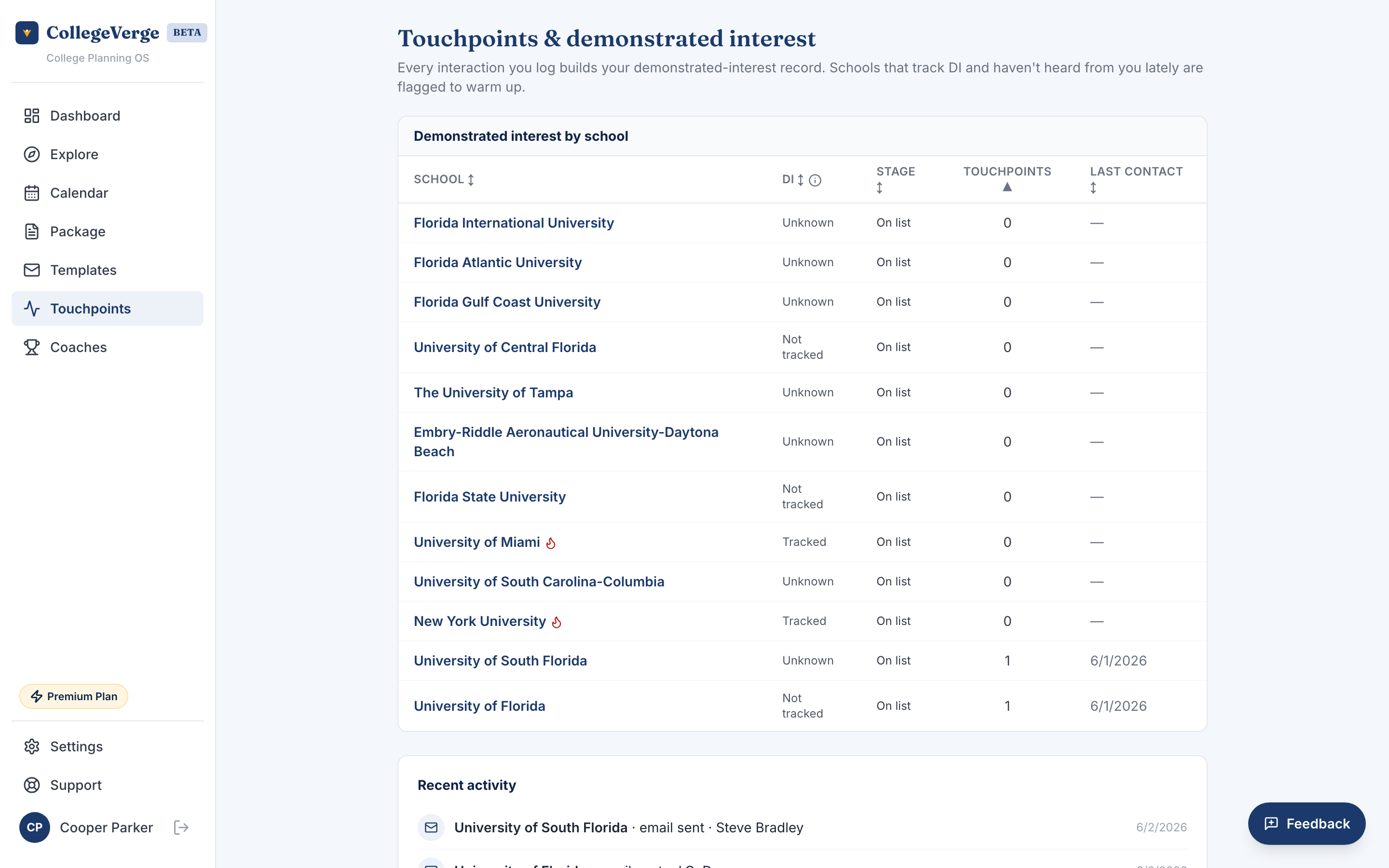
Touchpoints tracks your demonstrated interest. It logs every interaction with a school and flags the ones you have gone quiet on, so you stay on the radar at places that pay attention to interest.
Touchpoint tracking and the demonstrated interest module are on Standard and above.
What demonstrated interest is
Some colleges track whether you engage with them: opening emails, attending an info session, visiting campus, or reaching out with a thoughtful question. At schools that consider it, demonstrated interest can tip a close decision. CollegeVerge tells you which of your schools care, and helps you show it consistently.
Reading the tracker
The main table lists every school on your list with:
- Whether the school is known to weigh demonstrated interest. The column explains each status, so it is clear what it is telling you. "Unknown" means we do not yet have that school's policy on demonstrated interest on file, not that anything is missing from your record.
- Your current application status.
- How many touchpoints you have logged.
- The date of your last contact.
- A heat flag when a school weighs interest and you have logged fewer than three contacts in the last 60 days.
A flagged school is your cue to send a short, genuine follow up.
Recent activity
Below the table, a feed shows your most recent touchpoints in order, with the type of contact, the school, who you reached, and when. It is an easy way to confirm something was logged and to remember where you left off.
How touchpoints get logged
You do not log most touchpoints by hand. When you send an email from Templates or the Package, CollegeVerge records it here automatically with the date and type.
Three specific, well timed contacts say more than a dozen one liners. Aim for genuine reasons to reach out, like a question after a campus visit or a note about a program you found.
Empty state
If you have not logged anything yet, Touchpoints points you to the Templates composer, where your first email will create your first touchpoint.