Templates Standard
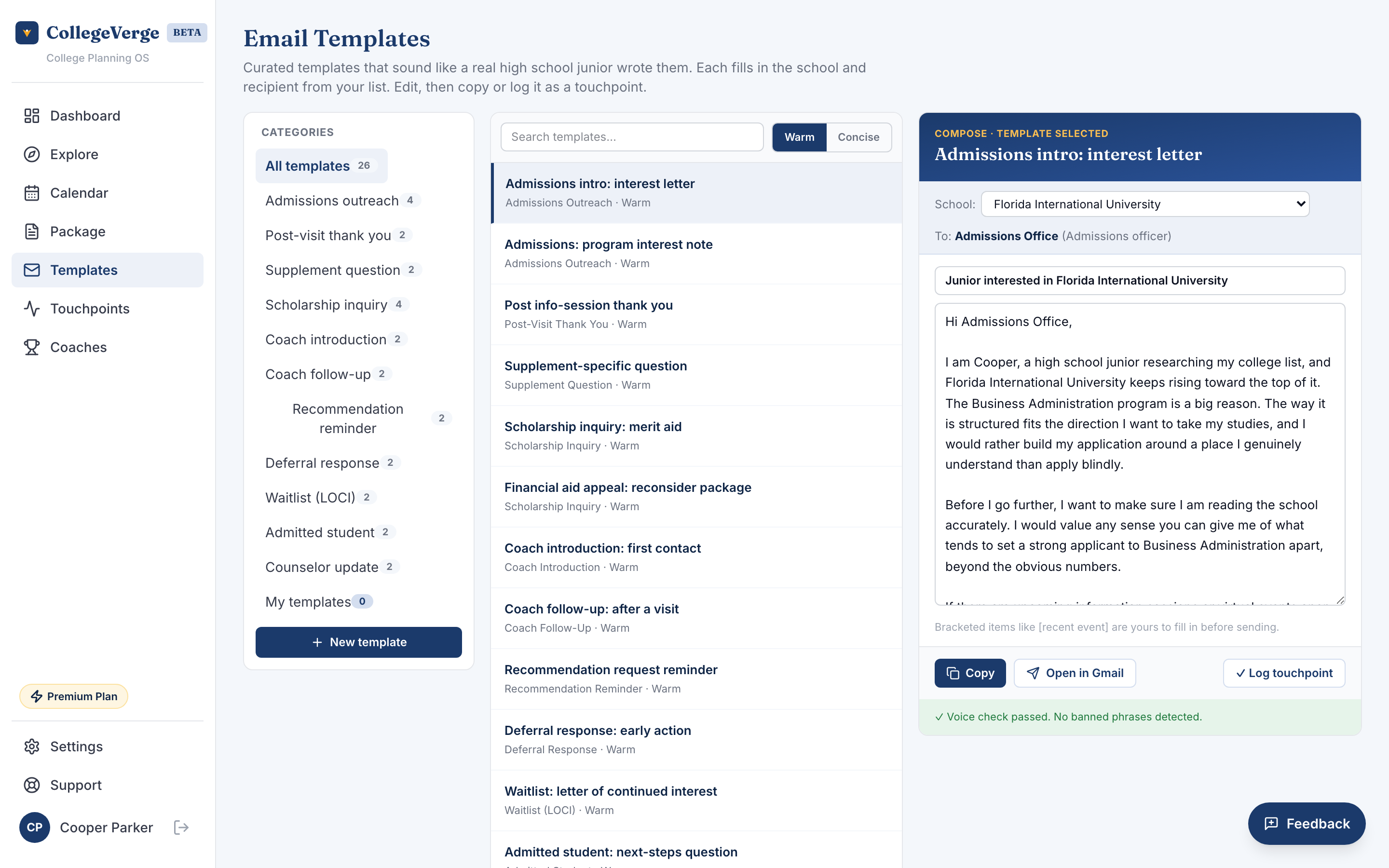
Templates is your library of ready to send emails for college outreach: admissions inquiries, demonstrated interest notes, coach contact, post visit thank yous, and financial aid questions. Each one personalizes itself with your details and the school you pick, so you are editing, not writing from scratch.
How it works
- 1Pick a categoryChoose the kind of message you need, such as coach contact or admissions outreach.
- 2Choose a schoolSelect which school on your list this is for. The template fills in the school and, where available, the right contact.
- 3PersonalizeMost fields auto fill from your profile. Adjust the wording so it sounds like you.
- 4Send or saveSend through your email client, or save a custom version to your own template list for reuse.
Tone that sounds like a real student
Curated templates offer a tone option, so you can lean warmer or more formal depending on the school and the relationship. The composer also flags overused phrases that make an email read as generic or automated, and nudges you toward language that sounds like an actual high school student wrote it. Spell check runs as you write in the subject and body, so a typo will not slip into a message before you send it.
Admissions and coaching staff read hundreds of these. A short, specific note that names one real reason you like the school beats three polished paragraphs.
Premium: AI assistance
On Premium, you also get AI written interest letters tailored to each school and AI supplemental essay starters to get you off a blank page. These are drafting aids. Always make the final words your own.
Logging happens automatically
When you send a message from Templates, CollegeVerge records it as a touchpoint for that school. That is what powers your demonstrated interest tracking in Touchpoints, with no extra step from you.
Under 18
If you are under 18 and your account is not yet parent approved, templates are available to read and prepare, but sending stays paused until a parent approves.
Next
- See your outreach history and follow up reminders in Touchpoints.
- Bundle your profile and emails to send at once with the Package.